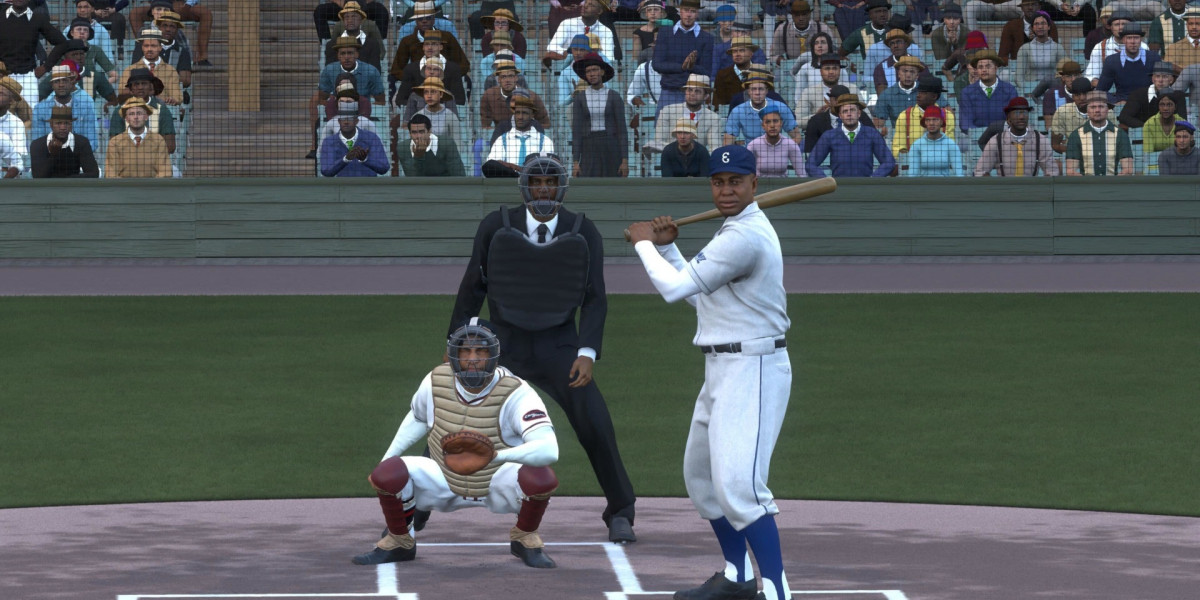

A rushed throw can undo an otherwise tidy inning, so start with the throwing interface rather than changing every defensive setting at once. Button keeps things simple: choose the base and make the throw. Button Accuracy adds a timing meter, giving you more responsibility for the release. Pure Analog uses the right stick instead. If you're weighing up roster upgrades or browsing MLB 26 stubs, give your controls some attention too. Better players won't remove the need to pick the right target and execute the throw.
Decide how much defense you want to handle
You don't have to learn movement and throwing together. Auto Fielding lets the computer handle routes to the ball, while Auto Throwing takes another task off your hands. That can suit someone who'd rather concentrate on pitching or batting. Prefer doing everything yourself Switch those assists off and take responsibility for getting into position. Jump and dive assistance, along with the infielder reaction options, offer another area to explore. Try them separately. Otherwise, it's hard to tell which change actually makes defense feel more comfortable.
Find the controls without changing everything
From the main dashboard, open the gear icon near the upper right, then enter User Settings. Look in the Control tab and move down past the hitting, baserunning, and pitching options to reach fielding. Before adjusting anything, note your existing setup. It's much easier to return to something familiar when you know what you changed. A short practice session is enough to start comparing interfaces, but don't judge one entirely on a single awkward play. Give yourself a few routine chances first.
Test ground balls before trying difficult plays.
Practice throws to each base.
Change one setting between sessions.
Keep your options open during a play
Throw Cancelling is worth learning once ordinary throws feel comfortable. A runner might turn back, or you might spot a better target after starting your input. Being able to stop that first choice gives you room to respond rather than blindly completing it. Check Accuracy Display as well, especially while learning the throwing meter. Road to the Show players should also look at Player Lock Throwing Interface. Don't assume the setup you enjoy while controlling a whole team will feel equally natural when you're following one player.
Give your setup time to settle
Fielding Tips can provide prompts while you're getting used to defensive situations. Leave them on if they're useful, then remove them when they become distracting. Back out after making your changes so the configuration is stored, and try it in a low-pressure game. Whether you're developing a Franchise roster or considering MLB Stubs for sale for Diamond Dynasty, keep practice separate from shopping decisions. Stick with a comfortable setup long enough to recognize whether a missed play came from your input or a setting that needs another look.



populära inlägg
-
 Aircraft Hydraulic Pumps Market to Reach USD 4.7 Billion by 2034 as Aerospace Demand Expands
Förbi Mark Taylor
Aircraft Hydraulic Pumps Market to Reach USD 4.7 Billion by 2034 as Aerospace Demand Expands
Förbi Mark Taylor -
 Fish Collagen Peptides Market to Reach USD 1.35 Billion by 2035.
Förbi Satya12
Fish Collagen Peptides Market to Reach USD 1.35 Billion by 2035.
Förbi Satya12 -
 Baklava in Dubai: A Sweet Taste of Middle Eastern Tradition
Förbi Glain Smith
Baklava in Dubai: A Sweet Taste of Middle Eastern Tradition
Förbi Glain Smith -
Het geheim van Retatrutide waar niemand over praat
Förbi Nysathgar -
 Germany Denim Jeans Market | Segments, Size and Demand, Dynamics
Förbi Vaibhav She
Germany Denim Jeans Market | Segments, Size and Demand, Dynamics
Förbi Vaibhav She


